

Till · Orders · Menu · Stock · Reports
Everything your café takes in a day, counted properly
A till a new barista can use on their first shift, a drawer that gets counted at close, and a day's takings that add up. Built in Nairobi, in shillings, for how cafés here actually trade.
Built in Nairobi. Prices in shillings. No sign-up — the demo till PIN is printed further down this page.
 Try it
Tenders
Cash, M-Pesa and card
The drawer
Float, count, variance
Your prices
Change one, the next order has it
More than one
Several cafés, one account
The first screen of the shift
What the person at the till gets
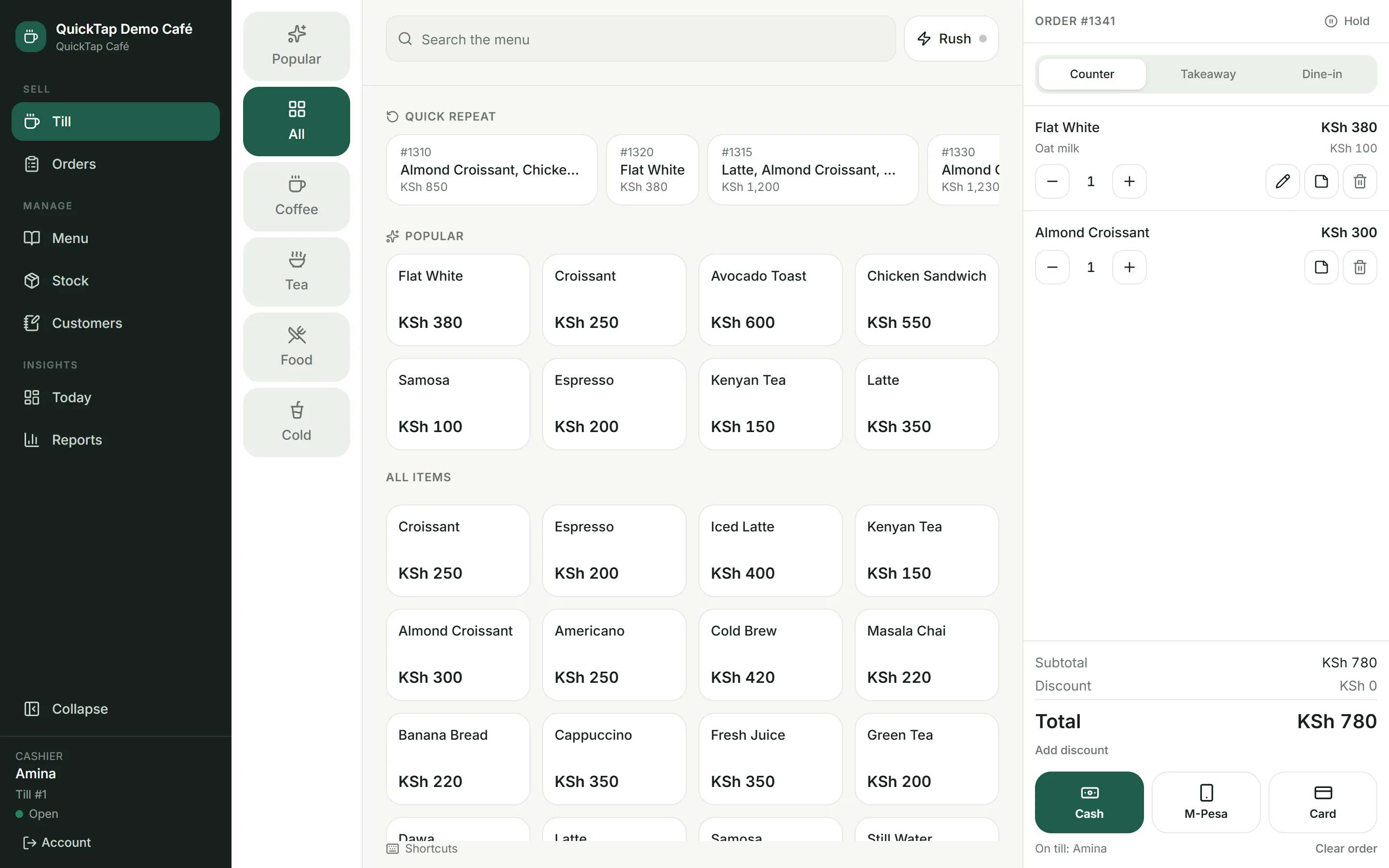
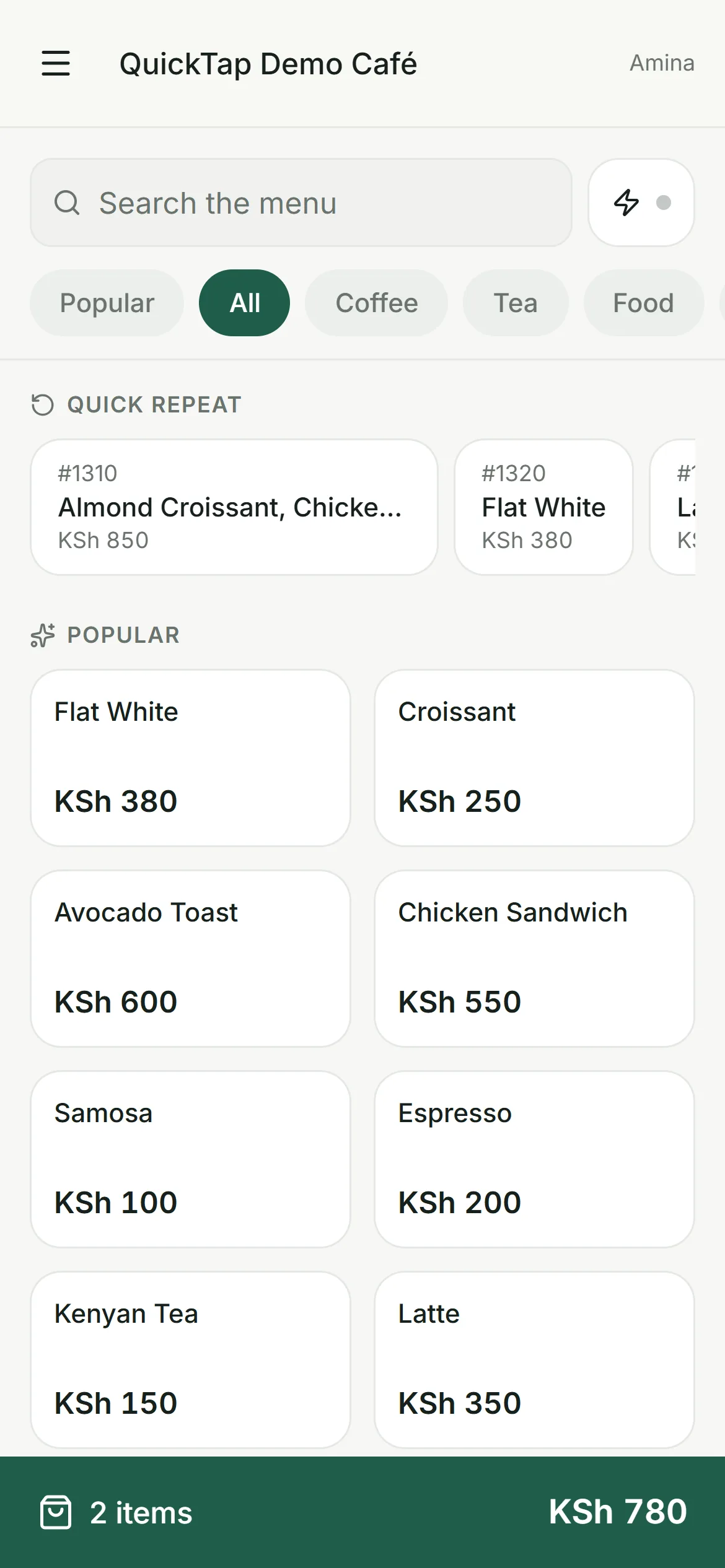
Tap the drink, tap the milk, take the money. The whole sale is one screen, the filter never scrolls away, and the person on it does not need training beyond their first order.
- Popular and Quick Repeat sit above the grid — the last 30 days of real sales, and the last few orders as they were actually rung
- A category rail that stays put, and search on a single keystroke
- Milk, syrups and extra shots as modifiers, priced per option
- Change a line you already rang — the milk, the quantity, the note — without deleting it and starting again
- Counter, takeaway and dine-in with table numbers
- Hold an order while they make up their mind, parked on this till until it is paid
- Rush Mode for the morning queue: bigger targets, fewer choices, remembered per till
- A PIN says who is at the till, so every sale has a name on it
The actual screens
Every picture below is the running system
Not drawings, and not retouched. Six places grouped by what you are doing: Till and Orders to sell, Menu and Stock to look after it, Today and Reports to see how the day went. Settings sits in the footer, where the cashier already is.
At the counter
Money that reconciles
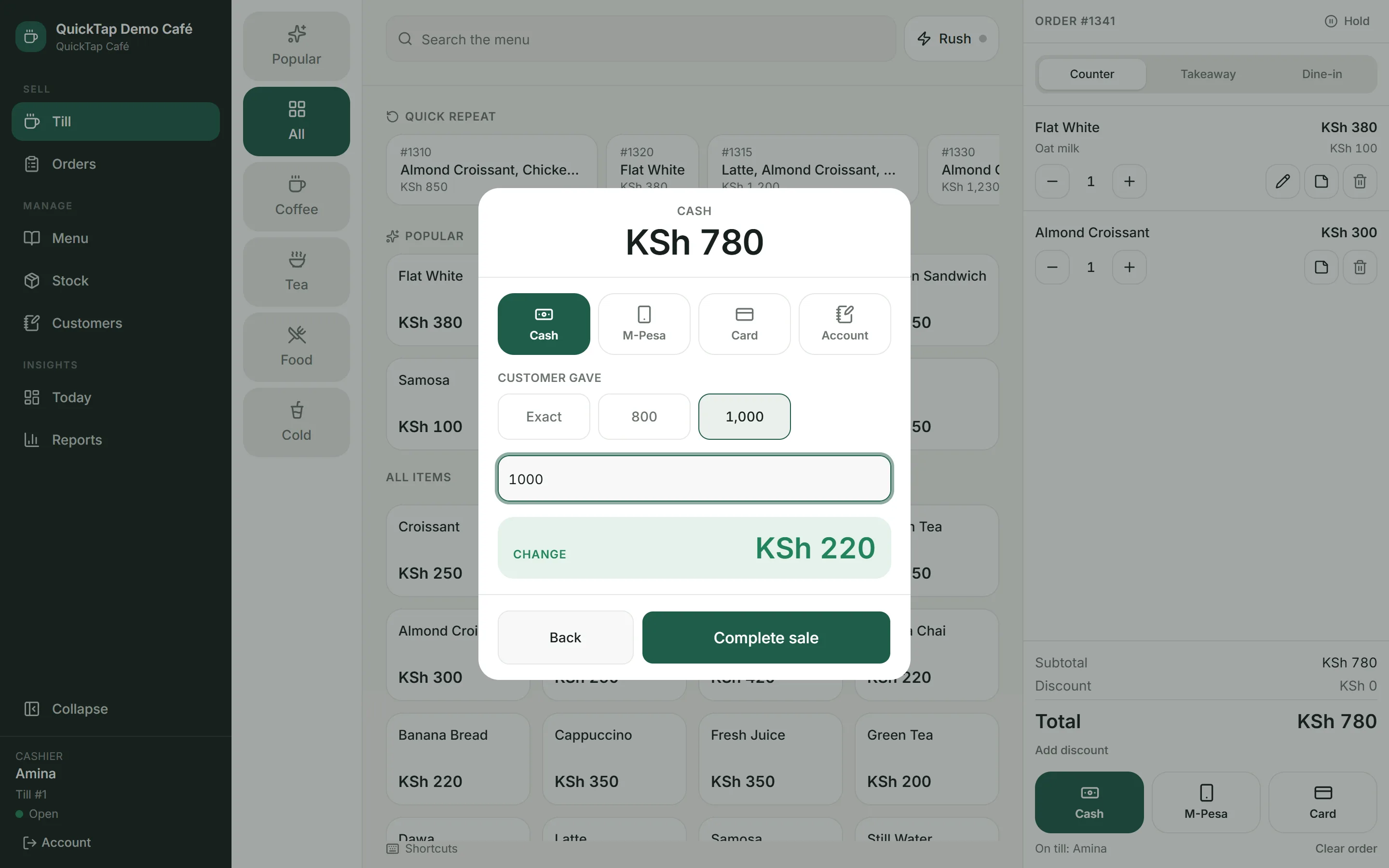
The part that decides whether a café trusts its own numbers. Cash is counted against what the till says, and the difference is a number you can look at.
- Cash, M-Pesa and card recorded at the till
- M-Pesa saved with the code off the customer's SMS — the sale will not complete until the cashier confirms the money landed
- Change worked out from what the customer handed over
- Discounts with a reason attached, never a silent price change
- Open with a float, close with a count, see the variance
- Refunds recorded as their own line with a reason, never a deleted sale
At the pass
Everything still in flight
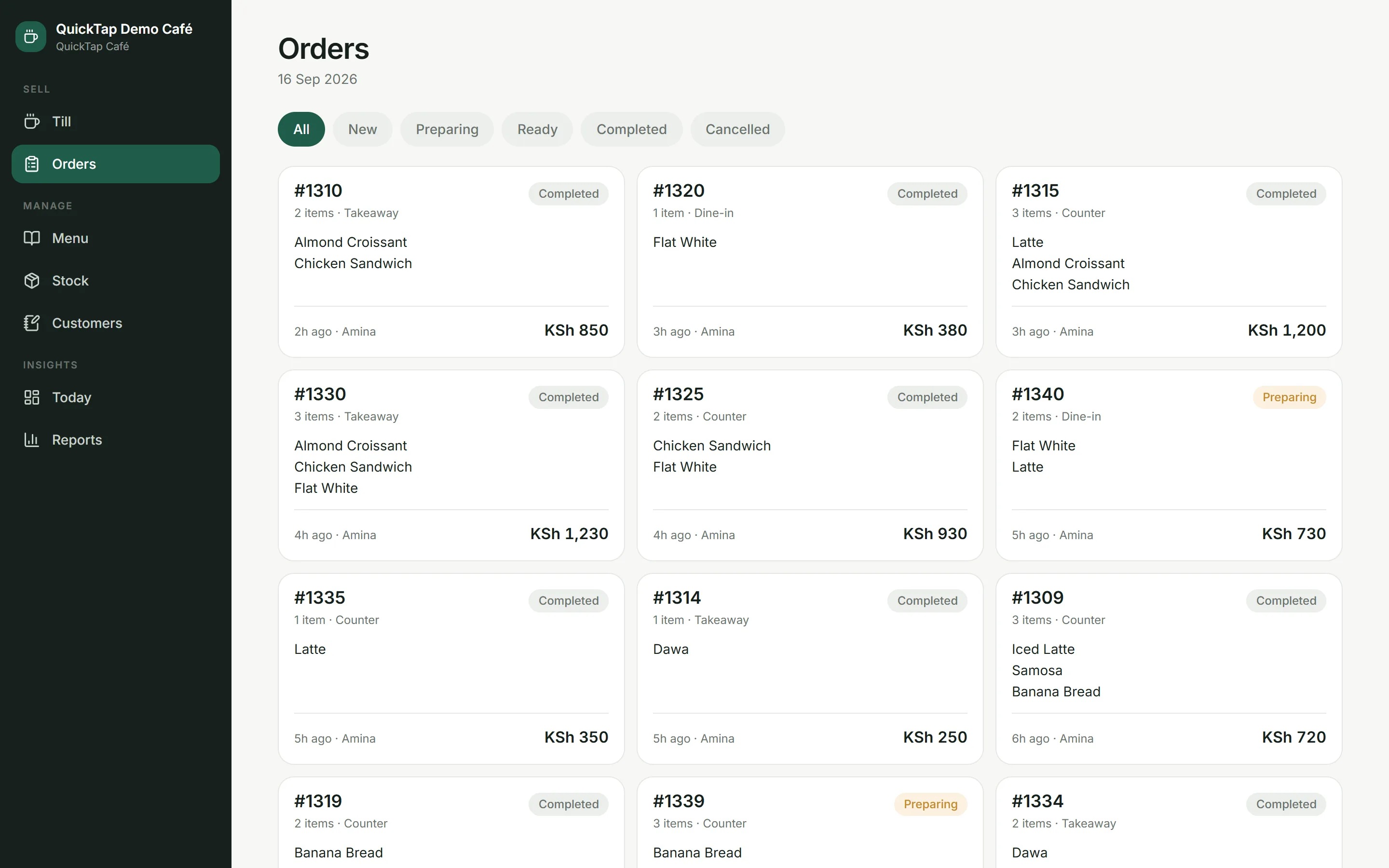
Cards rather than rows, because the person at the pass is reading a status from a metre away, not studying a table.
- Status-first tickets showing what is on each one, who rang it and how long ago
- Filter by New, Preparing, Ready, Completed or Cancelled
- The board runs on the café's own trading day, so a ticket left open overnight is still there in the morning
- Open any order for its receipt, exactly as it was sold
Behind the counter
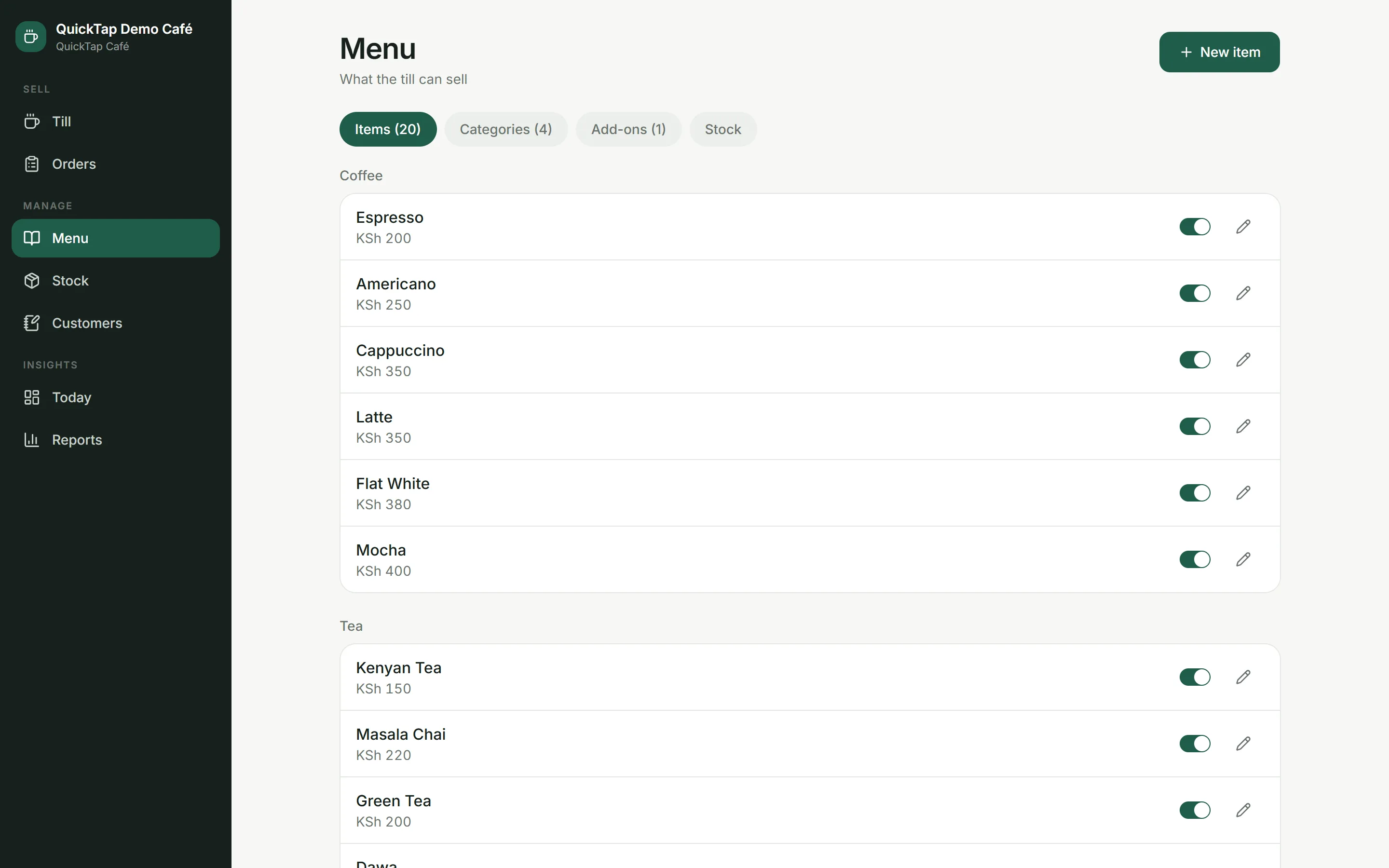
Your menu, your prices
Change a price at eleven and the next order has it. Last month's receipts keep the price they were sold at — the history does not move.
- Categories, products, photos and availability
- Modifier groups authored once and attached to any drink
- Stock counts on the items that actually run out
- Waste and deliveries recorded as stock movements
- Prices snapshotted onto every sale, so old receipts stay true
Kwa book
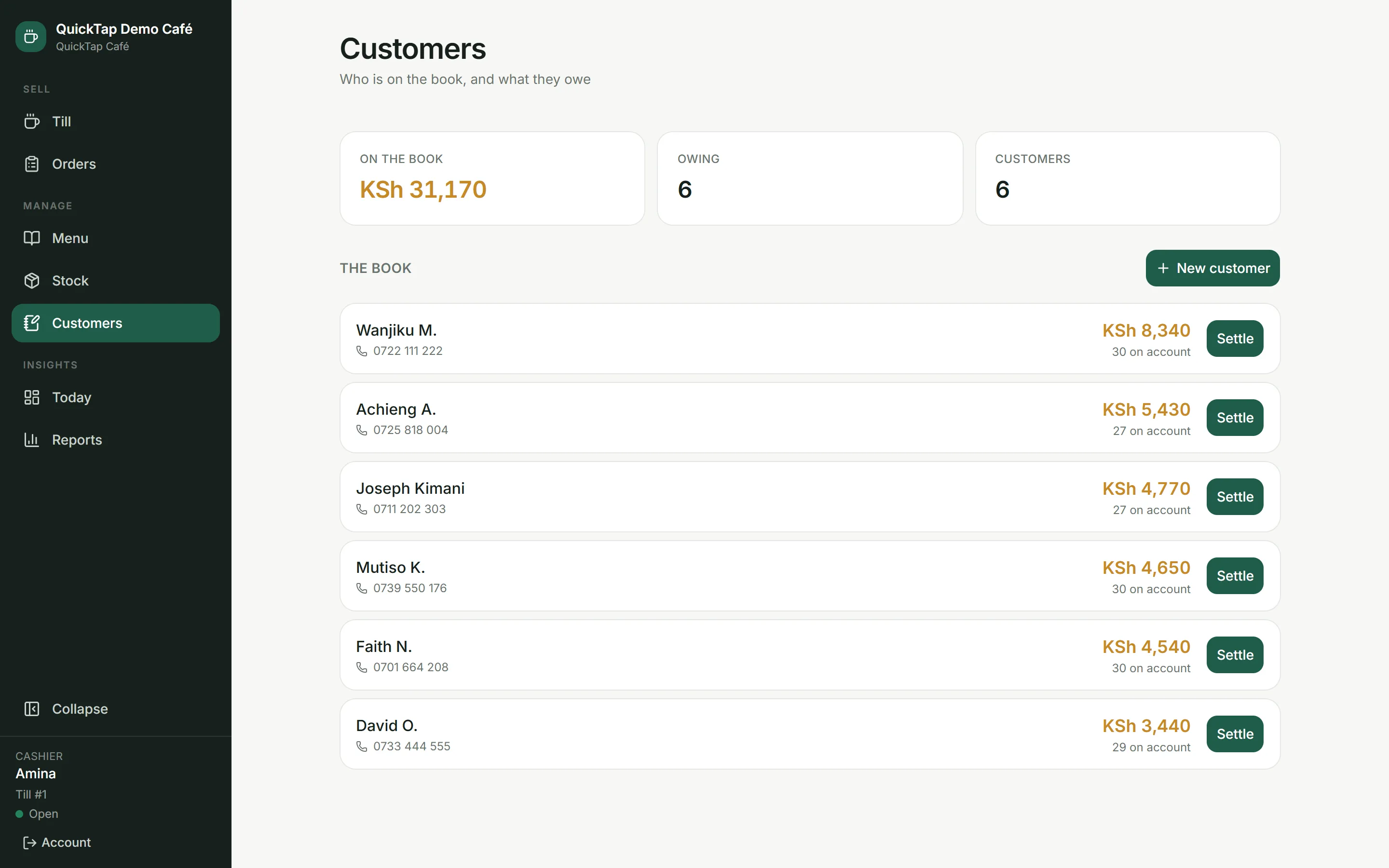
Sold on account
The notebook by the till, kept properly. A regular takes their coffee and pays on Friday, and the café still knows what it is owed and what it actually took.
- Put a sale on the book against a customer, straight from the payment screen
- Who owes what, sorted by what is outstanding
- Settle the lot or part of it, in cash, M-Pesa or card
- A cash settlement counts towards the drawer at close; an M-Pesa one does not, and the screen says so
- A sale on account counts as takings the day it happened, and the cash counts at the shift it was settled in — never twice
- A sale cannot go on the book without a name, and a debt cannot be overpaid
At home, later
What the owner sees
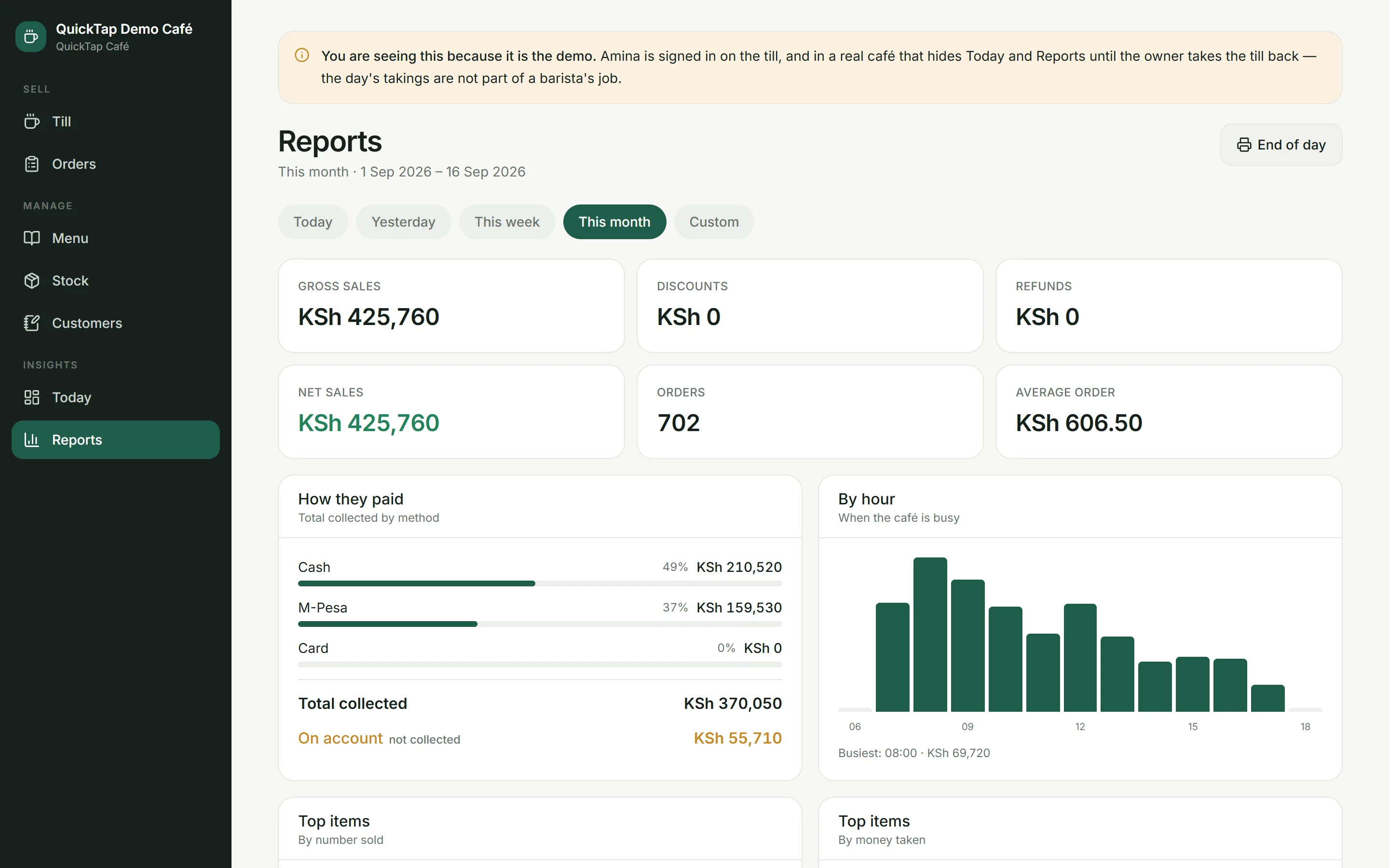
Open it from home. A month of takings, what sold, which hours were busy, and a one-page summary to lock up on.
- Takings, order count and average spend
- Sales by day, by hour and by item
- Split by how they paid — cash, M-Pesa, card
- A one-page end-of-day summary you can print from the browser
- More than one café on one account, kept strictly apart
- Today and Reports disappear while a barista is on the till — the day's takings are not part of their job
Try it now
Drive it yourself
The screens above are captures. This is the thing itself, running on a demo café — you drive it. Ring up a flat white, take cash, watch the change and the day's total move.
- Tap a flat white, add oat milk, take KSh 500 in cash and watch the change
- Tap the line again to swap the milk — no deleting it and ringing it twice
- Press ? for the keyboard shortcuts, or Rush for the morning-queue layout
- Send an order to the board, then mark it ready
- Open Reports and see the order you just rang appear in today's takings
- Read the note on Reports: in a real café, that screen is hidden while a barista is on the till
- Close the till with a count and see the variance
It is a shared demo, so you may find someone else's orders in it. Nothing you do here touches a real café — and it shows you Today and Reports that a real café would keep for the owner, because otherwise you could not see them at all.
QUICKTAP CAFÉ
Demo till · Nairobi
- Barista
- Amina
- PIN
- 4821
The PIN says who is at the till
** KARIBU **